
Text Free: Second Phone Number
Pinger, IncSocial
4.5153.92K Reviews
- Version
- 13.28.1
- Installs
- 50.00M
- Age Rating
- Everyone
Screenshots

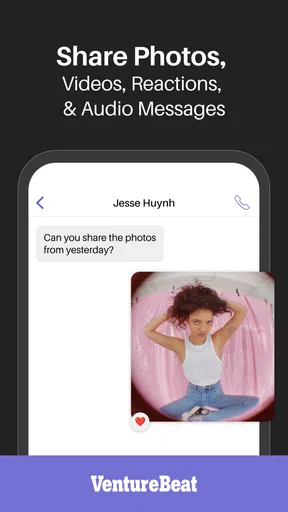
Our Review of Text Free: Second Phone Number
 Analysis by Appyee
Have you ever been in a situation where giving out your personal phone number feels a bit too revealing? Well, I recently stumbled upon an app that seems to have cracked the code for maintaining privacy while staying connected. Let me introduce you to Text Free: Second Phone Number, an app that’s become my go-to for managing calls and texts without giving away my real digits.
Getting Started with Text Free
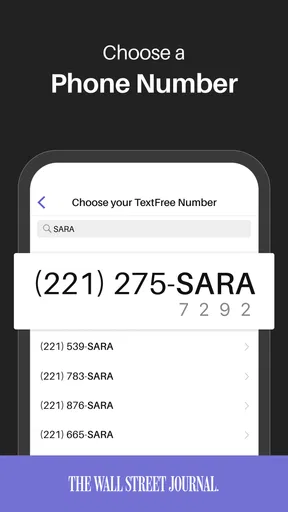
Downloading and setting up Text Free: Second Phone Number is a breeze. Available on both Android and iOS, the app welcomes you with a simple sign-up process. You can choose to create an account using your email or simply link it with your existing social media accounts. Once you're in, it’s time to pick your new number. And guess what? You get to choose from a list of available numbers based on your preferred area code. It’s like shopping for a new identity!
Features that Stand Out
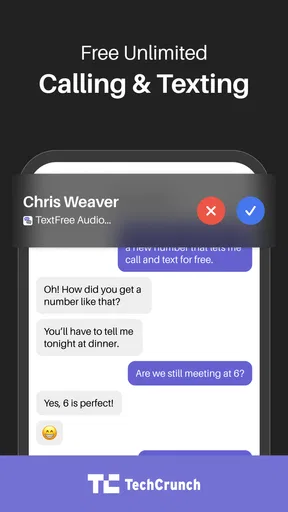
One of the coolest features of Text Free is its ability to let you send unlimited texts and make calls to any number in the US and Canada. This is perfect for those of us who have friends and family scattered across the map. And if you’re feeling old school, you can even send picture messages, because who doesn’t love sharing those awkward selfies?
But wait, there’s more! The app comes with voicemail, so you won’t miss any important messages when you’re busy. Plus, it allows you to customize your voicemail greeting, which is a fun little touch to keep things personal. Another feature that caught my eye is the ability to block numbers. So, if you ever have any annoying telemarketers or exes trying to get back in touch, blocking them is just a tap away.
How It Performs
In terms of performance, Text Free runs smoothly on both platforms. The interface is clean and easy to navigate, which is something I really appreciate. Sending texts is instantaneous, and calls have decent quality. Of course, call quality can vary depending on your internet connection, but generally, I’ve had a pretty solid experience.
Oh, and did I mention that Text Free also works on desktops? That’s right. You can sync your conversations across devices, which is super handy if you’re switching between your phone and computer throughout the day.
Free vs Premium Options
Now, the app is free, but like many apps, there’s a premium tier that offers some perks. For a small fee, you can remove ads, get voicemail transcriptions, and enjoy larger storage for messages. I tried the free version, and honestly, the ads aren’t too intrusive, but if you’re someone who likes an ad-free experience, upgrading might be worth it.
Who Should Use Text Free?
If you’re someone who’s looking for a way to separate work from personal life, or just want to keep your personal number private, Text Free is a fantastic option. It’s also great for small business owners who need a second line without the hassle of buying another phone. And for international travelers, maintaining a US number for free texts and calls can be a real lifesaver.
The app is also ideal for online selling platforms. Whether you’re flipping vintage finds or running a side hustle, having a dedicated number for business transactions can help keep things organized and professional.
Final Thoughts
Overall, Text Free: Second Phone Number is a nifty little app that does exactly what it promises. It provides a seamless experience for texting and calling, keeping your private number private while keeping you connected. While it’s not without its limitations, the core features are solid, and the flexibility it offers is worth exploring.
So whether you’re in the market for a second number for privacy reasons, or you just want to try something new, give Text Free a whirl. You might just find it becomes an essential part of your digital toolkit.
Privacy and Permissions
See what permissions an app requests and how it handles your data.
- Device & app history
- retrieve running apps
- Identity
- find accounts on the device, add or remove accounts
- Contacts
- find accounts on the device, read your contacts, modify your contacts
- Location
- approximate location (network-based), precise location (GPS and network-based)
- Phone
- read phone status and identity
- Photos/Media/Files
- read the contents of your USB storage, modify or delete the contents of your USB storage
- Storage
- read the contents of your USB storage, modify or delete the contents of your USB storage
- Microphone
- record audio
- Wi-Fi connection information
- view Wi-Fi connections
- Device ID & call information
- read phone status and identity
- Other
- view network connections, create accounts and set passwords, allow Wi-Fi Multicast reception, disable your screen lock, full network access, change your audio settings, read sync settings, reorder running apps, control vibration, prevent device from sleeping, toggle sync on and off, Google Play license check, read Google service configuration
Verdict
Strengths of Text Free: Second Phone Number
- User-friendly interface, easy to navigate.
- Offers free texting and calling options.
- Customizable voicemail settings.
- No need for a second SIM card.
- Supports multiple phone numbers.
Limitations of Text Free: Second Phone Number
- Contains in-app ads that can be intrusive.
- Limited free minutes for calling.
- Not all numbers are available in all regions.
- Requires stable internet for best performance.
- Some features require a subscription.
Other Releases by Pinger, Inc
View All
Text Free: Calling & Texting
Social4.5

Sideline: 2nd Phone Line App
Communication3.8

Index: Business Phone Number
Business3.8
Similar Picks in This Category
View All
Meta Platforms, Inc.4.6

Instagram4.0

Likee-Live, Chat & Party Games
Likeme Pte. Ltd.4.4

Facebook Lite
Meta Platforms, Inc.4.5

TikTok - Videos, Shop & LIVE
TikTok Pte. Ltd.4.0

Moj: Free Short Drama & Reels
ShareChat4.1
You May Also Like
View All
Frequently Asked Questions
What is Text Free: Second Phone Number, and how does it work?
Text Free: Second Phone Number is an app that provides users with a free, virtual phone number for calling and texting. This number can be used independently of your primary phone number, making it ideal for separating personal and professional communications. It works over Wi-Fi or data, allowing you to send texts or make calls without using your carrier minutes.
Is Text Free really free to use?
Yes, Text Free offers a free tier that includes a virtual phone number and the ability to send unlimited texts to U.S. and Canadian numbers. However, calling minutes are limited unless you purchase additional minutes or earn them through watching ads. There are also premium plans available that remove ads and offer additional features.
Can I choose my own phone number with Text Free?
When you sign up, Text Free allows you to select from a list of available numbers, giving you some control over the area code and number combination. This feature is subject to availability, so your options may vary based on your region and the current pool of numbers.
Is my information secure with Text Free?
Text Free takes user privacy seriously and implements industry-standard security measures to protect your data. However, as with any app, it's important to review their privacy policy to understand how your information is used and shared. Always ensure you're using secure networks when accessing personal or sensitive information.
What are the limitations of using Text Free?
While Text Free offers many convenient features, there are some limitations. Calls to non-U.S. or Canadian numbers require credits or a premium plan. Additionally, some users may experience occasional ads in the free version, and the app requires an internet connection to function, which may not be ideal in areas with poor connectivity.
